

TechDB-iQ Documentation
Authoritative technical and user guidance for secure analytics, enterprise dashboards, and offline AI workflows.
Dashboard & Analytics
Deploy data connections, build governed dashboards, and turn enterprise data into clear decisions.
Offline AI for Enterprise
Configure secure, local AI assistance across Excel, Word, PowerPoint, and Outlook workflows.
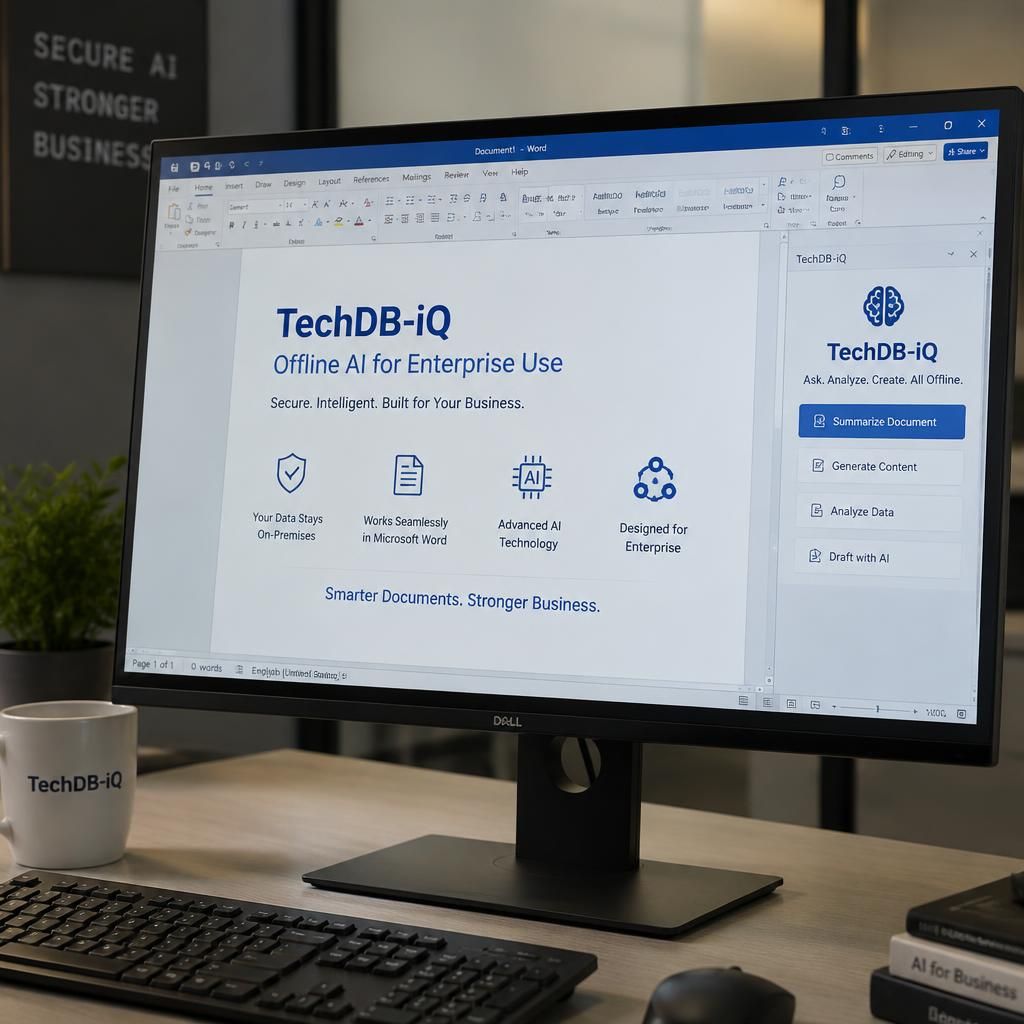
Secure Offline AI for Microsoft Word
Write with confidence. Keep your documents on your computer.
Draft, refine, and work with your documents using TechDB-iQ Offline AI for Microsoft Word. Your files and prompts stay on your computer, never sent to the cloud.
Official Product Documentation
Find trusted guidance to deploy, configure, operate, and support every TechDB-iQ product with confidence.

Guidance for Every Stage of Adoption
From first-time installation to ongoing administration, this documentation explains the core concepts, system requirements, configuration choices, and operational practices behind TechDB-iQ for Dashboards & Analytics and TechDB-iQ Offline AI for Enterprise. Use it to plan implementation, connect approved data sources, manage access, maintain secure environments, and help users get more from their daily tools.
Dashboard & Analytics Documentation
Learn how to connect data, model datasets, design interactive dashboards, publish governed content, manage users, and monitor platform performance.
Offline AI Documentation
Set up offline AI capabilities for Excel, Word, PowerPoint, and Outlook while keeping sensitive information within your controlled environment.
Technical, Administrative, and User Resources
Explore installation and deployment guidance, connector configuration, identity and role management, dashboard authoring, data refresh scheduling, audit practices, and lifecycle administration. Offline AI resources cover local deployment, supported Office workflows, prompt usage, document and spreadsheet assistance, presentation creation, email drafting, and secure operational controls. Each guide is designed to help technical teams, administrators, and end users work consistently across the platform.
Secure Operations Start with Clear Standards
Follow recommended security practices for access control, permissions, data handling, offline deployment, update planning, and issue response. Reference troubleshooting articles for connection failures, configuration issues, user access concerns, dashboard behaviour, and AI workflow support. For product-specific assistance, contact the TechDB-iQ support team with relevant environment and error details.
Browse Documentation by Topic
Product Concepts
Understand the platform architecture, product capabilities, terminology, and core principles behind analytics and offline AI.
Setup & Deployment
Prepare your environment, review requirements, install components, and configure your initial deployment.
Integrations
Connect approved data sources, configure connectors, manage credentials, and validate data access.
Administration
Manage users, roles, workspaces, publishing, refresh schedules, settings, and platform operations.
Security & Governance
Apply access controls, protect sensitive data, maintain audit readiness, and support secure offline AI use.
Supported Workflows
Explore dashboard creation, reporting, spreadsheet analysis, document drafting, slide development, and email assistance.
Troubleshooting
Diagnose common setup, connectivity, performance, permissions, dashboard, and AI workflow issues.
Everyday Usage
Help business users navigate dashboards and use secure AI features effectively in their daily work.
Choose the Documentation Path for Your TechDB-iQ Product

Dashboards & Analytics
Guidance for building cloud-hosted dashboards, connecting enterprise data, and delivering governed business intelligence.
Dashboard design and visualisation
Data connectors and integrations
Analytics, reports, and workflows
Administration, access, and security

Offline AI for Enterprise
Guidance for secure, offline AI workflows in Excel, Word, PowerPoint, and Outlook—without sending sensitive data to the cloud.
Excel analysis and reporting
Word document assistance
PowerPoint slide creation
Outlook email drafting and triage
Understand Core Concepts
Review product architecture, supported workflows, user roles, security principles, and the documentation path that matches your deployment.
Prepare Requirements
Define data sources, integration needs, infrastructure, access controls, Office requirements, and the business outcomes your team needs to support.
Install, Configure & Validate
Complete installation and configuration, connect approved systems, test permissions and workflows, then validate results before production rollout.
What the TechDB-iQ Documentation Covers

Dashboard Design & Data Connectivity
Learn to create clear dashboards, connect approved data sources, manage integrations, and publish governed analytics experiences.

Analytics Workflows & Enterprise Controls
Find practical guidance for reporting, analysis, administration, role-based access, security practices, and operational governance.

Offline AI & Microsoft Office Productivity
Use secure offline AI assistance across Excel, Word, PowerPoint, and Outlook for analysis, writing, presentations, and email workflows.
Find the Guidance That Fits Your Work
1
Choose Your Product & Role
2
Follow Task-Based Instructions
3
Apply References & Workflow Examples

Security Guidance for Controlled, Confident Operations
Use the TechDB iQ documentation to establish practical controls across dashboards, analytics, and Offline AI workflows. Find guidance for role-based access, permissions, administrator responsibilities, secure configuration, data handling, privacy settings, governance processes, and audit-ready operating practices. Offline AI documentation explains how supported Excel, Word, PowerPoint, and Outlook workflows can operate without transmitting sensitive content to the cloud, helping teams minimise external exposure while retaining productive AI assistance. Dashboard teams can also reference secure administration practices for users, connections, integrations, and published analytics.
Documentation FAQs
Quick answers for teams evaluating, deploying, administering, and using TechDB iQ Dashboard & Analytics and Offline AI for Enterprise.
Which environments does TechDB iQ support?
The documentation covers the cloud-hosted TechDB-iQ Dashboard & Analytics platform and the TechDB-iQ Offline AI for Enterprise product line, including workflows for Excel, Word, PowerPoint, and Outlook. Refer to the product-specific setup guides for current system, browser, and deployment requirements.
What integrations are available for Dashboard & Analytics?
TechDB-iQ Dashboard & Analytics supports native data connectors and integration guidance for connecting approved business data sources. The documentation explains connection setup, configuration considerations, data access, and best practices for building reliable dashboard workflows.
Does Offline AI send my files or prompts to the cloud?
Offline AI is designed for secure local operation, enabling AI-assisted workflows without sending your business content to the cloud. Consult the security and product documentation for deployment details, privacy controls, and guidance tailored to your organisation’s environment.
How do administrators manage dashboard users and permissions?
Administrators can use the documentation to configure user access, assign appropriate roles, manage permissions, and govern access to dashboards, data connections, and published content. Follow the administration guides to apply least-privilege access and maintain clear ownership.
How are TechDB iQ products updated and kept compatible?
Product documentation provides release, update, and compatibility guidance for supported product environments. Review the relevant product notes before planning upgrades, connector changes, or Office workflow deployments to help protect continuity for users and administrators.
What does the documentation cover?
The documentation includes product concepts, onboarding and setup, integrations, configuration, dashboard usage, Offline AI workflows, administration, security practices, troubleshooting, and reference material. Use task-based guides for day-to-day work and reference sections for detailed configuration information.
Need Documentation Support?
If the documentation does not resolve your issue, contact our support team for help with dashboards, Offline AI products, setup, security, integrations, and troubleshooting.
Phone
(61) 3 7036 8636
Address
314, 1 Queens Road, Melbourne VIC 3004, Australia
Find the Right Documentation Path
Start with the documentation for your TechDB-iQ Dashboard & Analytics or Offline AI product. For deployment, security, or advanced workflow guidance, contact our experts for tailored assistance.